Website Accessibility Audit is a great initial scan and would reveal any missing labels or color contrast issues right away. However, passing the website accessibility testing scan does not automatically mean that the website is accessible, since there are many accessibility problems which cannot be detected during the Website Accessibility Audit through the use of automated scanning tools.
Accessibility of websites was briefly touched upon in September. However, this article takes this topic one step further, answering the question raised by owners of businesses who have already tested their website through a website accessibility testing scan: “The tool claims that we meet all requirements. Does this mean that we are done?” Generally, the answer would be no. The tools are really good at finding issues that can be found via code and pretty poor at figuring out if it is truly usable for website accessibility checker.
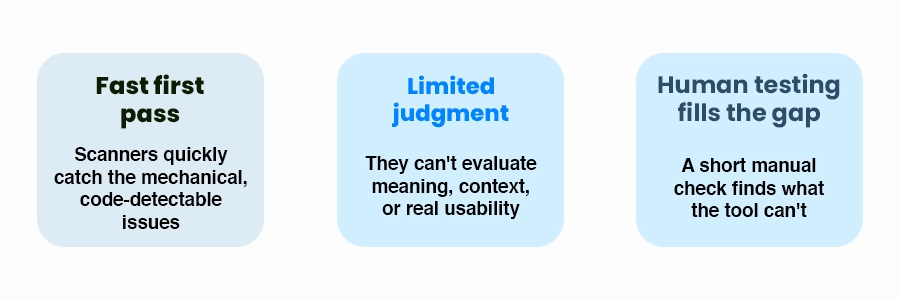
fast first pass limited judgement human testing fills the gap
What scanners are good at Website Accessibility Audit
Issue type
Why software can detect it
Images with no alt attribute at all
The attribute is either in the code or it isn’t
Many color contrast failures
Contrast between two colors can be calculated
Form fields with no programmatic label
The relationship between label and field is in the markup
Missing page language or page title
These are required elements that are either present or absent
Empty links and buttons
A link with no text content is detectable in the code
What scanners can't judge
1.Whether alt text is actually useful: An image with the text “image1.jpg” or “photo” can pass a presence check by website accessibility testing tools but that image gives no useful information to a screen reader user. Only a person can decide whether the description of that image actually tells what the image is, for.
2.Whether the site works with a keyboard alone: Scanners can find some keyboard issues. Not if the tab order makes sense if a menu can really be opened and closed using keys or if a pop-up keeps focus so a user can’t leave.
3.Whether headings and links make sense out of context: Screen reader users often navigate by jumping through headings or lists of links. Ten links that all say “Read pass a scan but are useless when listed together.
4.Whether error messages help someone fix the problem: A form can technically announce an error without showing which field is wrong or how to fix that error. I think the user must read the message the way a user would read it.
5.Whether video and audio content is actually accessible: A scanner can see that a video exists. The scanner cannot see whether captions are accurate or whether a transcript covers what is needed.
A 20-minute manual accessibility testing anyone can do
Put your mouse away. Use just the Tab key, the Shift+Tab key the Enter key and the Escape key to move through your homepage, a form and one other key page. Do you know where you are all the time? Can you. Use everything? Can you leave every pop-up? This simple website accessibility testing technique finds issues a scanner will never find.
A practical audit approach
Combining automated and manual checks
Conduct an automatic test on the most important pages on your website by website accessibility checker, and then address any obvious errors according to WCAG audit guidelines.
Perform a keyboard navigation check on the most important pages: home, contact, checkout, and booking pages.
Zoom the browser, to two hundred percent. Make sure nothing is cut off or overlapping.
Try a screen reader on least one key page or have an experienced person try it because meaningful problems often show up on those pages.
After any site change please re-test because new content can bring back old issues after a site change so please re-test again.
The Web Content Accessibility Guidelines, also called WCAG audit guidelines are the standard that most people use for website accessibility checker tools. Most inspections look at WCAG audit guidelines of Level AA. Which version and which level applies to your business depends on what industry you’re in and any contracts or rules you are, under.
We are not lawyers. This is not legal advice. Making accessibility better is valuable in its right. No audit result by website accessibility checker can predict how a legal claim might be decided without manual accessibility testing by lawyers. If you are worried, about risks speak with an attorney who knows the accessibility laws where you are.
After redesigns or new features and, as a periodic check otherwise Accessibility tends to drift. Accessibility drifts as pages, images and plugins are added over time.
Website accessibility checking tools do not provide all information on the website’s accessibility since they are able to find only some technical problems with web content such as missing alt text, insufficient color contrast, and form labels. At the same time, these tools are unable to conduct the full evaluation of users’ experience, including navigation using a keyboard, screen readers, useful error messages, and good captions for videos.
In order to conduct a manual accessibility testing on your website, use your keyboard for navigation purposes, verify the use of screen readers, look for alternative texts for images, verify error messages in forms and confirm that the website can still be read in 200 percent zoom.
Conclusion and Next Steps
An automated scan is a first step and a simple thing to do regularly for Website Accessibility Audit. Just think of the results as the start of an audit of the finish and make sure to set aside some time for a quick manual accessibility testing review, with it. Talk to our IT team and we’ll walk through it with you.