A cybersecurity checklist for small business is a convenient excuse to finally do the small business security basics that tend to slide down the to-do list, and October’s Cybersecurity Awareness Month is a good prompt to start. You don’t need a bigger budget. You need a short list, done in order, by someone who owns it.
Security advice for small businesses tends to arrive as an overwhelming list of fifty things, which is a reliable way to make sure none of them get done. This checklist is deliberately short. It covers the five areas where small businesses most often have a gap, in an order that makes each step easier than the one before it. CISA’s Secure Our World program is a good companion resource if you want more detail on any step.
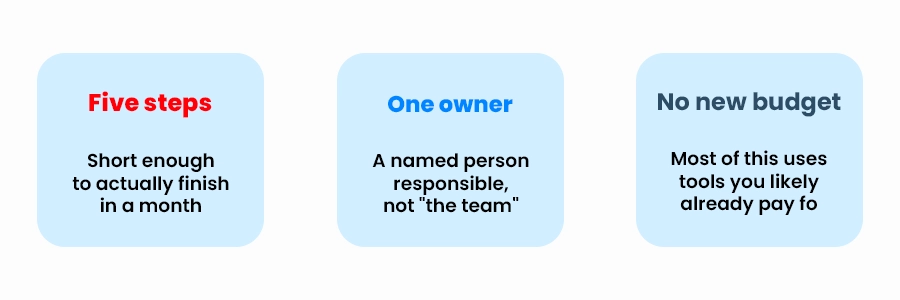
Five steps One owner No new budget
The Five Steps in a Cybersecurity Checklist for Small Business
Turn on multi-factor authentication for email and any admin accounts: Email is the master key to most other accounts, since password resets go through it. If you only do one thing on this list, do this one. We wrote a plain-English MFA setup guide in September if you want the step-by-step.
Get passwords out of heads, spreadsheets, and sticky notes: A business password manager removes the reason people reuse passwords. Start with the accounts that handle money or customer data, and see our rollout guide for how to introduce it without pushback.
Confirm your backups exist, and that someone has tried restoring from them: A backup that has never been restored is an assumption, not a backup. Pick one non-critical file and restore it somewhere else to see how long it takes and whether it opens. Our backup and disaster recovery services cover this end to end.
Check that updates are actually being installed: Unpatched software is a common way in. Look at a few machines and confirm operating system and key application updates are current, rather than assuming automatic updates are working.
Write down who to call if something goes wrong: A one-page contact list for your IT provider, your insurer, and a decision-maker is the core of an incident response plan. It takes ten minutes and is the first thing people wish they had in an emergency.
Pick an owner before you start
Security tasks shared by “everyone” tend to be done by no one. Name one person who is responsible for working through this list, even if that person then delegates individual steps. A named owner is the difference between a checklist that gets finished and one that gets forwarded around.
What This Cybersecurity Checklist for Small Business Leaves Out
It doesn’t cover advanced monitoring, formal compliance frameworks, or penetration testing. Those can matter depending on your industry, but they’re a second conversation. For most small businesses, finishing these five steps removes a large share of the easy openings, and it builds the habit of treating security as routine maintenance instead of a one-time project.
A Realistic Monthly Plan for Your Security Tasks
Suggested pacing
Week 1: Turn on MFA for email and admin accounts.
Week 2: Choose and pilot a password manager with one team.
Week 3: Test a backup restore and review update status on a sample of machines.
Week 4: Write the one-page contact list and share it with the people who’d need it.
No checklist makes a business fully secure, and it would be misleading to say otherwise. This list closes some of the most common gaps. It’s a starting point, and the right next steps depend on your industry, the data you handle, and any insurance or contractual requirements.
Start with whichever step you can’t confidently say is done. The backup restore test and the update check are the two most often assumed rather than verified.
Not necessarily. Many of these steps are things a capable office manager can lead with some guidance. An outside IT provider is most useful for the technical verification steps, like confirming patching and testing restores.
Conclusion and Next Steps
Cybersecurity Awareness Month is a useful prompt, but the point is the habit that outlasts it. Pick an owner, work through the five steps, and revisit the list in a few months. That small routine does more over a year than a one-time push that nobody follows up on. Talk to our IT team and we’ll walk through it with you.