
Website speed optimization can feel endless, because a speed audit can return dozens of suggestions, most of which barely move the needle. Here’s how to prioritize the handful of fixes that meaningfully affect load time, instead of chasing every recommendation a tool generates.
Speed testing tools generate long lists of suggestions, and treating every item as equally important is a good way to spend hours on changes that shave milliseconds off load time while the actual biggest problem sits unaddressed. Website speed optimization works best when prioritization comes before completeness, because a handful of fixes typically account for the large majority of a slow site’s problem. Google’s Core Web Vitals guide explains which speed metrics actually matter to real visitors.
Website Speed Optimization Fixes Ranked by Actual Impact
| Fix | Typical impact | Effort to implement |
|---|---|---|
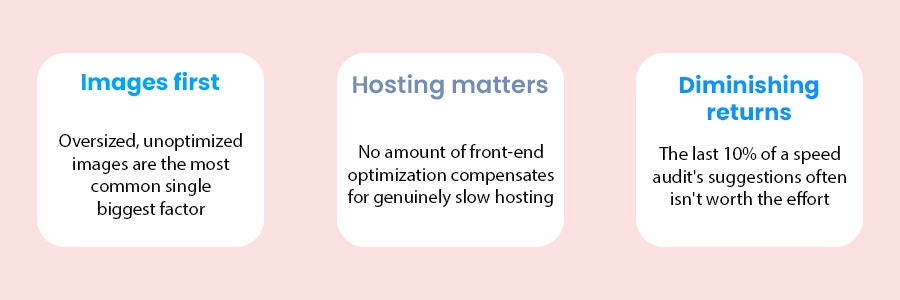
| Compress and properly size images | Often the single largest speed improvement available | Low — many tools and plugins automate this |
| Enable browser caching | Significant for repeat visitors specifically | Low — usually a configuration setting, not a rebuild |
| Upgrade genuinely slow hosting | Can be substantial if hosting is a real bottleneck | Moderate — may involve a migration, but often worthwhile |
| Reduce unnecessary plugins/scripts | Meaningful if the site has accumulated many over time | Moderate — requires testing what’s actually still needed |
| Minify CSS/JavaScript | Modest on its own, more meaningful combined with other fixes | Low — usually automatable |
| Micro-optimizations flagged by audit tools | Often negligible individually | Frequently high relative to the actual benefit |
Check image sizes before anything else
A single oversized hero image — full camera resolution instead of properly sized and compressed for web — can add more load time than every other issue on a typical speed report combined. Before investing effort in hosting changes or code optimization, confirm images are properly sized and compressed; it’s usually the highest-leverage, lowest-effort fix available.
How to actually diagnose the bottleneck
- Run a speed test and look at the waterfall breakdown: Most testing tools show which specific resources take the longest to load — this tells you where the actual time is going, not just an overall score.
- Identify the largest individual files: Images are the most common culprit, but occasionally it’s an unoptimized video or a large third-party script.
- Test server response time separately from front-end assets: A slow “time to first byte” points to a hosting issue that front-end fixes alone won’t solve, no matter how well-optimized the images are. If hosting is the problem, your cloud services provider can help you move to something faster.
- Fix the top few items and re-test: Confirming actual improvement after each round of fixes, rather than applying everything at once and hoping it worked.
When to Stop Website Speed Optimization
Signs you’ve reached diminishing returns
- Load time is already comfortably within target range for your industry and audience.
- Remaining audit suggestions each promise savings measured in milliseconds.
- Further changes would require significant rework for marginal, unmeasurable gain.
- Real user experience (not just an automated score) already feels fast in practice.
Frequently Asked Questions
Generally no. A high score in the “good” range is usually sufficient for real-world user experience and any SEO benefit. Chasing a perfect score often means diminishing-returns work for negligible practical gain. Speed is one part of SEO for small business, not the whole picture.
Only if hosting is genuinely the bottleneck — if images and front-end assets are the real issue, better hosting alone won’t fix it. Diagnosing the actual cause first prevents paying for a hosting upgrade that doesn’t solve the problem.
After any significant content or design change is a reasonable trigger, plus a periodic check every few months, since new images or added plugins can gradually reintroduce the same problems over time.
Conclusion and Next Steps
The businesses that get the most value from website speed optimization are the ones that fix the handful of things that genuinely matter, usually images and hosting, rather than working through an audit tool’s full list top to bottom regardless of actual impact. Want a clear read on what is slowing your site down? Talk to our team and we’ll point you to the fixes worth doing first.
Ready to fix this for your business?
Table of Contents


