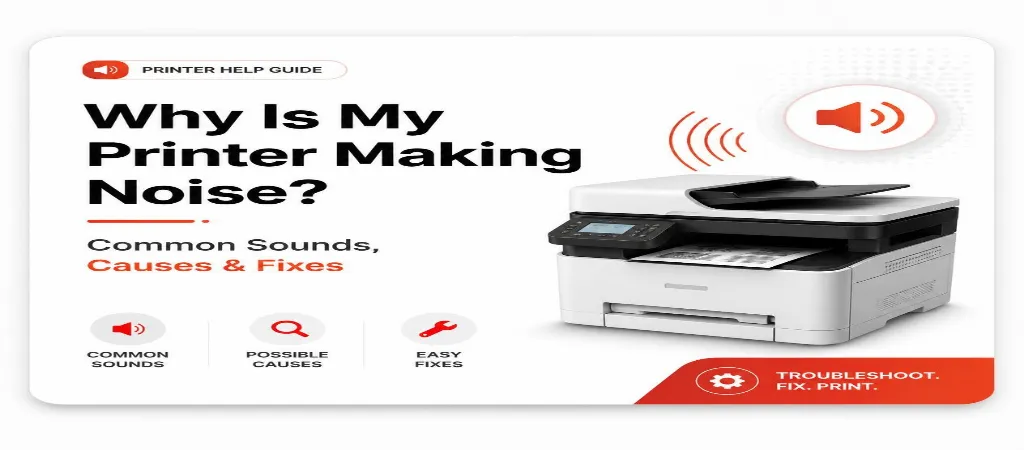
Printers make a lot of noise. There are two kinds of noises that printers make. The first kind is the sounds that printers make when they are working. These sounds are like the startup sound, the sound of the carriage moving and the hum of the paper feed. The other kind of noise is the warning sounds. These sounds are like grinding, clicking and squeaking. Grinding usually means that there is a paper jam or that the roller is worn out. Clicking usually means that there is something blocking the carriage. Squeaking usually means that the roller is dry or worn out.
Every printer is going to make some noise. The paper is going to feed through the carriage is going to move forth and the fuser is going to heat up. Most of the time these sounds are completely normal. Do not mean that anything is wrong with the printer. The problem is figuring out which sounds are normal and which sounds mean that something is wrong with the printer. Printer noises like grinding and clicking are serious. You should do something about them right away. If you keep printing when you hear these sounds you can make the problem worse.
This guide is about common printer noises. It talks about grinding, clicking, squeaking, loud humming and banging. It explains what each of these printer noises usually means and what you can do to fix the problem.
Normal Printer Sounds You Don't Need to Worry About
When you turn on a printer it does a check. This check makes some noise as the carriage moves left and right, the paper feed works for a second and the fuser heats up (if its a laser printer). These noises are okay. Stop after 10 to 30 seconds.
The printer carriage moves back and forth. This movement sounds like whirring. It is normal. If it sounds louder than usual it might be a problem. But the normal sound is okay.
Laser printers make a humming sound. This sound happens when the fuser starts to heat up before printing. It is normal. The humming sound usually lasts 15 to 30 seconds. Then the printer starts to print the page.
Grinding Noise — Act Immediately
When you hear a grinding sound from your printer it usually means one of two things: there is a paper jam happening or the feed roller is worn out and having trouble gripping the paper. You need to take care of this.
If you are printing something and you hear a grinding sound you should stop the print job and check if there is a paper jam. Do not try to force another piece of paper through the printer because the grinding sound probably means that a piece of paper is already stuck somewhere, inside the printer and sending paper will just make the jam worse. You should follow the steps to safely remove the paper jam before you try to print
If you hear a grinding sound when you are not using any paper like when you’re starting up the printer or when the carriage is moving this probably means that something is stuck in the carriage path like a paper clip or a piece of paper that was left behind. You should turn off the printer, open the panel and use a flashlight to look inside the carriage path.
Clicking Noise — Usually a Debris or Carriage Issue
When you hear a clicking sound every time you print a sheet it is usually because of a tiny piece of debris. This debris can be a piece of torn paper, a staple or a bit of adhesive, from a label that is stuck on one of the rollers. As the roller turns around this debris hits the paper path. Makes a clicking sound with every turn.
If the clicking sound is erratic or does not happen at times and the carriage has stopped moving it probably means that the carriage has hit something it should not have. You should turn off the power to the printer, open it up and check the path that the carriage moves along to see if there is anything that should not be there.
Squeaking Noise — Dry or Worn Rollers
Squeaking happens when you feed paper because the rubber rollers get dry or smooth. New rollers have a bit of stickiness that helps grip paper. Over time they dry out and get hard, making a squeak as they slide on paper instead of holding it. You can clean rollers with a cloth to get some grip back, but if squeaking keeps happening, rollers need to be replaced. Paper jams that happen often with a squeak are usually because rollers are worn out. The squeak and jam are really the issue, just at different stages.
Loud Humming or Buzzing — Fan or Fuser Issue
When you hear a loud humming or buzzing noise from your laser printer, it usually means the cooling fan is working way too hard. This can be because the fuser is getting too hot or the fan is starting to break down. If you still hear the buzzing noise after the printer is done printing, you should keep an eye on it. This is because the only thing that should be running at this point is the cooling fan. If you see error messages on your laser printer that are related to the fuser or if the paper coming out is really hot you should get the fuser checked on your laser printer.
Banging or Thumping — Paper Tray or Duplexer Issue
When the printer makes a noise, it is usually because a piece of paper is not going into the duplexer, which is the part that prints on both sides at the right angle. Maybe the paper tray is not all the way in. The paper tray needs to be pushed in well. The paper guides should be close to the papers, not far away. Also do not put much paper in the tray. Make sure the paper is below the line that says how paper you can put in. Check the paper tray and the duplexer to see if the paper is going in correctly. The printer will work better if the paper tray is in the position and there is not too much paper. The duplexer will print on both sides of the paper if everything is okay.
The startup self-test for the printer does things. It checks the carriage movement. It does a paper feed check. It also does a fuser warm-up. The printer makes some sounds when it does these things. These sounds can be scary if you do not know what they are. The sounds will stop after a little while, usually within thirty seconds on most printers. When the sounds stop, that means the printer is working like it should. The startup self-test for the printer is normal.
When you hear the HP printer grinding it usually means that there is a problem with a piece of paper. The paper is probably stuck somewhere. There is a jam. You should stop the print job that is going on. Then you need to turn off the HP printer. Next you have to check all the parts of the HP printer where you can see inside. Look for any paper that is stuck or any things that should not be there. Do this before you try to print something on the HP printer.
When you hear a squeak that does not affect the print quality this is a warning sign that the rollers are wearing out. The squeak will usually get worse. Cause paper jams before it affects the print quality. You can try cleaning the rollers. This is something that is easy to do and it will not cost you anything. If the squeak comes back quickly then you will need to replace the rollers. This will stop a problem from happening later on with the rollers.
This usually means there is a problem with something, in the path that the paper follows. It could be a roller that is worn out, a piece of paper that is stuck or the carriage is hitting something that is getting in the way but not stopping it completely. Pay attention to the noise to see if it is happening over and over at the time like a rhythm, which could mean something is stuck on a roller or if it is happening sometimes but not always which could mean something is not lined up right.
Diagnosis and configuration fixes cost between $40 and $80. Replacing rollers on-site costs, between $75 and $200. This depends on the model. How many rollers need to be serviced.
Conclusion
Printers naturally make some noise during startup, paper feeding, and printing, so not every sound indicates a problem. However, unusual noises such as grinding, clicking, squeaking, loud humming, or banging often point to issues like paper jams, worn rollers, carriage obstructions, or fuser problems. Identifying the type of noise early and taking the appropriate action can prevent costly repairs and extend your printer’s lifespan. Regular cleaning, routine maintenance, and replacing worn components when needed will keep your printer operating smoothly and quietly.