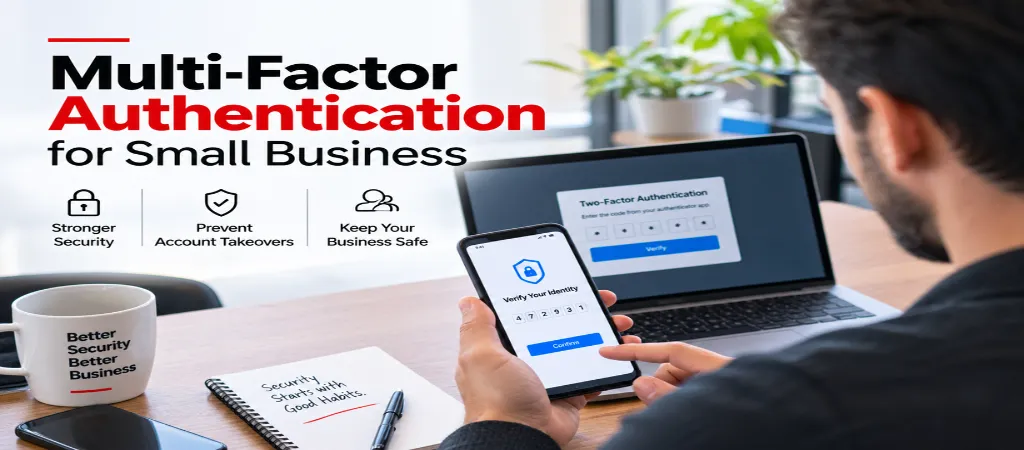
MFA (Multi-factor Authentication) is important to keep your business accounts safe. Passwords are easy to steal or guess. MFA adds an extra step to verify your identity. Read on to understand what MFA protects against, and common rollout mistakes that frustrate your employees. You’ll also learn about the best ways to implement multi-factor authentication for business across your company.
Multi-factor authentication is recommended frequently, but the reason for it is not generally included. The reason is that passwords are something you know, and anything you know can be phished, guessed, or breached. The addition of MFA adds a second factor, which can be something you have (a security key) or something you are (a fingerprint, your face). Without the addition of MFA, a password can be stolen and used to access an account – a core piece of business account security.
What MFA actually stops
Passwords are vulnerable in many ways that are unrelated to how strong they are. A company can experience a data breach, and someone else can trick an employee into giving them their login credentials via email (phishing). Passwords can also be used to log into multiple accounts. MFA will not stop the leaking of a password, but if there is MFA enabled, a leaked password by itself will not be sufficient to access the account.
The main types of MFA, compared
Type
How it works
Security level
SMS text code
A code sent by text message, entered after the password
Better than nothing, but vulnerable to SIM-swapping attacks
Authenticator app
A time-based code generated by an app like Google Authenticator or Authy
Stronger than SMS — not vulnerable to SIM-swapping
Push notification
A tap-to-approve prompt sent to a registered device
Strong and convenient, though vulnerable to “prompt bombing” if users approve without checking
Hardware security key
A physical USB or NFC key that must be present to log in
Strongest option — resistant to phishing and remote attacks
This comparison is one of the clearest ways to understand authenticator app vs SMS MFA, and why a MFA security key sits at the top of the list.
SMS is better than no MFA, but it’s the weakest option
A service that supports two-step verification with just SMS as the second option is still a good option to enable. It’s a lot better than having just a password. A code generated by an authenticator app or a security key are better methods to use. SMS codes can still be intercepted by an attacker through SIM swapping, which requires no guesswork by the attacker.
For related account-security housekeeping when staff change roles or leave, see our IT Offboarding Checklist guide.
Why MFA rollouts fail — and how to avoid it
No reason is given for the mandate – Many employees are frustrated by additional measures to verify their identity that they experience as pure friction. For buy-in, an organization should tell the employees what the MFA protects against.
It is rolled out on the first day of work – Although a staged roll-out with a smaller group, like a subset of employees or high-risk customers, would help identify issues and resolve them before impacting the entire employee or customer base.
There is no help-desk ticket process for a locked out user – There has to be a fast and easy process to help users recover access to their authentication app or phone. Without this process the first time a user gets locked out becomes the reason to hate the entire system.
Users are not given or do not generate and save backup codes – MFA systems usually provide a set of backup codes to be saved. A lost or misplaced authentication device shouldn’t be an emergency. With these codes, a user can access their account and system without the authentication device.
These are among the most common MFA rollout mistakes we see in MFA implementation small business projects.
A simple rollout plan
Start with email and any account handling financial or customer data.
Choose an authenticator app over SMS where the service supports it.
Generate and securely store backup codes for every account before rolling out.
Give a short, plain explanation of why it’s happening before requiring it.
Have a clear, fast process for anyone who gets locked out during rollout.
This structure reflects proven MFA rollout best practices for two-factor authentication business deployments.
No – Business size does not reduce risk of credential theft. Small businesses are targeted because it is assumed they do not have adequate security measures in place. MFA is a low-cost security measure that can be utilized by businesses of any size.
Backup codes are generated securely in advance and stored for account recovery without the original device. Without them, account recovery becomes very long and tedious as service providers have to get involved.
Yes, this is called “prompt bombing.” Attackers aggressively send prompts in hopes that the target approves one by mistake. It’s important that, during a secure MFA rollout, employees are trained on how to differentiate between legitimate and illegitimate prompts. Only approving personally-initiated prompts is one way to do this.
Conclusion and Next Steps
MFA is one of the most effective security measures available, and cost effective to implement. However, very few companies implement it in a way that makes it truly valuable. The companies that implement it effectively prepare for the inevitable lost device scenario by explaining to their users the “why” of the lost device scenario and planning accordingly.