Many companies follow IT securities have thorough processes to get new employees set up with what they need. Terminating employees’ access to company systems is often an afterthought. This creates security risks over time. The following resources will provide an IT offboarding checklist to help close offboarding security risks created by terminating employee access.
Offboarding and Security Risks
Employees leaving a company, whether by choice or not, creates an immediate security risk. All access should be removed to help ensure the employee does not use the company systems to expose or tamper with company data. Access should be removed quickly and completely — one of the core IT offboarding best practices any it consulting services provider will recommend.
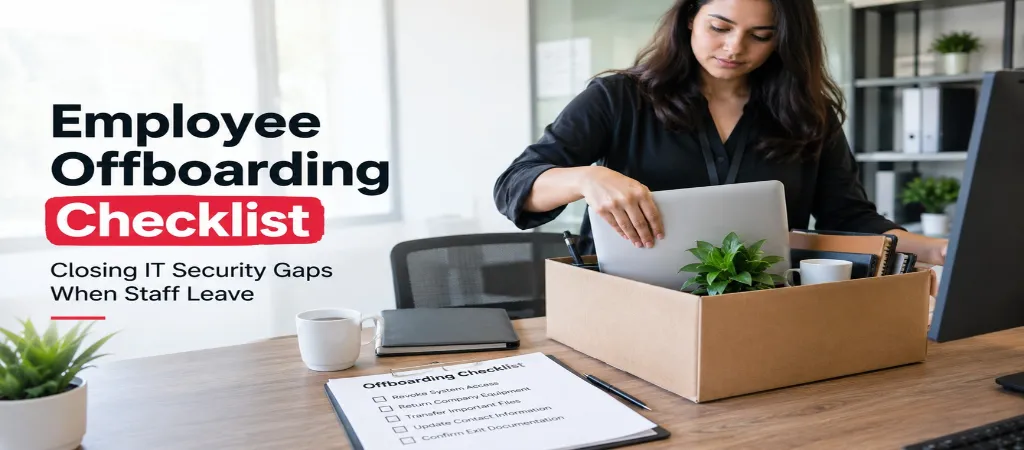
The IT Offboarding Checklist
Following a structured employee offboarding checklist helps ensure nothing slips through during an employee termination IT process:
Disable email access immediately upon departure not delete, initially, since you may need to review or forward mail during a transition period.
Revoke access to all cloud platforms Microsoft 365 or Google Workspace, plus any department-specific SaaS tools (CRM, accounting software, project management platforms). This is a key step in any revoke access checklist.
Reset shared account passwords the employee had access to any shared login is compromised the moment someone with access leaves.
Remove device access company laptops, phones, and any personal devices enrolled in mobile device management should have company data wiped or access revoked.
Revoke VPN and remote access credentials specifically, since these are often separate from general account access and easy to overlook.
Disable multi-factor authentication devices tied to the departing employee’s accounts, and reassign or reset MFA for any shared systems.
Remove building and physical access (key cards, alarm codes) alongside digital access offboarding is a security process, not just an IT one.
Update distribution lists and shared calendars to remove the departing employee.
Transfer ownership of files and shared drives the employee had sole ownership of, so critical documents aren’t orphaned.
Document the offboarding completion with a timestamp and checklist sign-off for audit purposes a core part of proper account deprovisioning.
If the employee gave the company advance notice of their departure, the employee’s access to the company’s systems should be removed gradually, starting with the employee’s access to the most sensitive systems. The access removed should allow the employee to perform their job. The access to the least sensitive systems should be removed last. Access to the least sensitive systems should not be removed until after the employee has stopped working for the company. This staged approach is central to sound IT security offboarding.
Common Gaps Businesses Miss
Personal devices enrolled in company email that aren’t wiped or unenrolled
Third-party SaaS tools outside the core Microsoft 365/Google Workspace ecosystem that IT wasn’t aware the employee had access to
Shared logins for tools that don’t support individual user accounts, which require a password reset rather than simple account deactivation
Forwarding rules an employee may have set up on their email that continue silently routing messages after departure
API keys or integrations a technical employee may have created that outlive their own account access
These gaps are exactly why cybersecurity offboarding needs a documented process, not memory alone.
Shared Accounts and Third-Party Access
Shared accounts are difficult to manage during an employee’s termination as there is no way to disable a shared account like a normal account. Shared accounts must be documented, and access control lists (ACL) should be created to detail the employees who have access.
Documentation and Audit Trail
There are a number of reasons to maintain a fully executed and time stamped copies of employee termination documents. These include ensuring the proper procedures have been followed, and addressing employee concerns regarding the termination. In the financial, legal, and medical fields, these documents may also assist in ensuring compliance with access and retention of client data a critical part of managing data security employee departure risk.
Creating an Offboarding Checklist
When an employee leaves your organization, there are several steps that need to be completed. These steps sometimes get overlooked if there is no standard process in place. Once HR confirms the employee’s departure, the process should automatically initiate. Part of this process should include removing the employee’s access to the company’s applications and systems. Using an identity management application can automate this process and eliminate the risk of this step being missed — especially valuable for building an offboarding checklist small business teams can actually follow.
How Ovron Inc. Helps with Offboarding Processes
Once we have understood our clients’ IT and Cybersecurity needs, we assist with the development and implementation of official offboarding procedures. Our services also include removing employees’ access to company applications and systems (including MS 365), as part of our broader it consulting services.
See also our Co-Managed IT Explainer for how ongoing IT support ties into offboarding readiness.
Access should be removed as soon as the employee departure is confirmed and communicated to the employee (in the case of an involuntary departure). Access should be removed on the employee’s last day if the employee departure is communicated with notice.
Some of the most commonly overlooked processes include changing passwords to access third party applications and services, and sifting through the employee’s work emails to remove the employee’s access to files and information.
Yes, as part of an employee’s exit from the company, all company data on the employee’s device would be removed, and the device would be unenrolled from the company’s Mobile Device Management (MDM) solution.
In a regulated industry, it is likely that the process to remove access to company data would be required, and therefore, documents offboarding activities.
Conclusion & Next Steps
Offboarding is an overlooked and neglected area of security for most small businesses. There is little to no standardization around ensuring all company data and access is removed from former employees. Offboarding is an opportunity to strengthen security, if processes are put in place to ensure access is removed.
Does your business need a standardized offboarding process? The team at Ovron Inc can help create a process and documentation to ensure former employees’ access is removed.