A password manager is one of the valuable things a small business can use. It is also one of the things people often dislike when it is not handled well. Here is how to run a password manager rollout that your team will actually use, instead of quietly working around it.
Password managers are truly one of the best things a small business can do to stay safe, but they don’t work as well in real life as the technology promises. The failure is almost always the rollout, not the tool. The rollout is mandated without any explanation, forced on everyone at the same time, with no help for the friction points that will arise. A team that experiences the rollout this way looks for workarounds instead of adopting the tool. Strong cybersecurity for small business starts with habits people will actually keep.
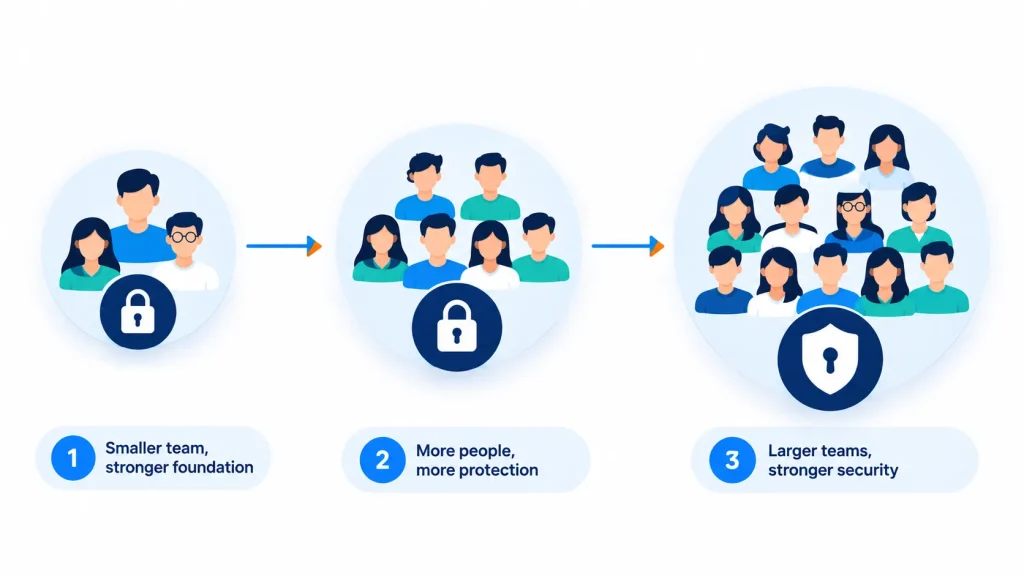
Staged password manager rollout plan showing pilot team, next group, and whole company
Why password manager rollouts commonly fail
A password manager rollout usually fails for the same few reasons, and each one is avoidable.
Common mistake
What it produces
Mandated with no explanation
Resentment and passive resistance — people comply minimally without genuinely adopting the habit
Rolled out to everyone simultaneously
Support requests overwhelm whoever’s fielding them, and early friction colors the whole team’s impression
No plan for shared/team credentials
People keep using insecure shared spreadsheets for accounts multiple people need to access
No master password recovery process
A single lost master password becomes a genuine emergency instead of a routine recovery
Start with one team, not the whole company
Rolling out to a single team first — ideally one with a mix of technical comfort levels — surfaces real friction points on a small scale. Their feedback shapes a smoother rollout for everyone else, and their positive experience becomes informal advocacy that a company-wide mandate never generates on its own.
If you work with a managed IT services provider, your pilot team is the right place to involve them first. A pilot also makes your wider password manager rollout easier to defend to skeptical team members.
A rollout that builds genuine adoption
Explain the “why” briefly and honestly: Password reuse across accounts is genuinely one of the most common causes of account compromise a short, honest explanation goes further than a mandate alone.
Pilot with one team first: A smaller group surfaces setup issues and workflow friction before they affect the whole company at once.
Set up shared vaults for team-accessed accounts: Business plans typically support securely sharing specific credentials among team members this replaces the insecure spreadsheet or sticky-note habit directly.
Define a clear master password recovery process: Before wide rollout, not after the first lockout this single step prevents the most common source of frustration with the tool.
Roll out to the rest of the company in stages: Use lessons from the pilot team, with support genuinely available during each new group’s first week. A co-managed IT setup can help your internal team handle that support load.
Making the transition period easier
Reducing friction during rollout
Allow browser extension autofill to keep daily workflow largely unchanged.
Don’t require everyone to update every saved password on day one — let it happen gradually as accounts are naturally accessed.
Offer a short, optional walkthrough session rather than a written instruction sheet alone.
Make it easy and non-judgmental to ask for help during the first couple of weeks.
Rolling both out simultaneously can be a lot of change at once. Many businesses find that sequencing them (one, then the other, a few weeks apart) reduces overall friction, even though both are genuinely valuable together. See our guide on MFA rollout for small teams.
A properly configured business password manager keeps shared vault credentials accessible to the business itself, not tied to any one individual’s personal account — this is part of why business (not personal) plans matter for company use.
Generally no for genuinely personal accounts — most business password manager setups separate personal and work vaults, with IT/admin visibility limited to shared business credentials rather than everything an employee stores.
Conclusion and Next Steps
The technology itself rarely fails. The real problem is assuming that adoption will happen automatically after the tool is installed. A staged rollout with explanations and actual support, during the transition is what changes “another mandated tool” into something the team actually uses. A well-planned password manager rollout protects the business without slowing the team down. Need help planning yours? Talk to our IT support team