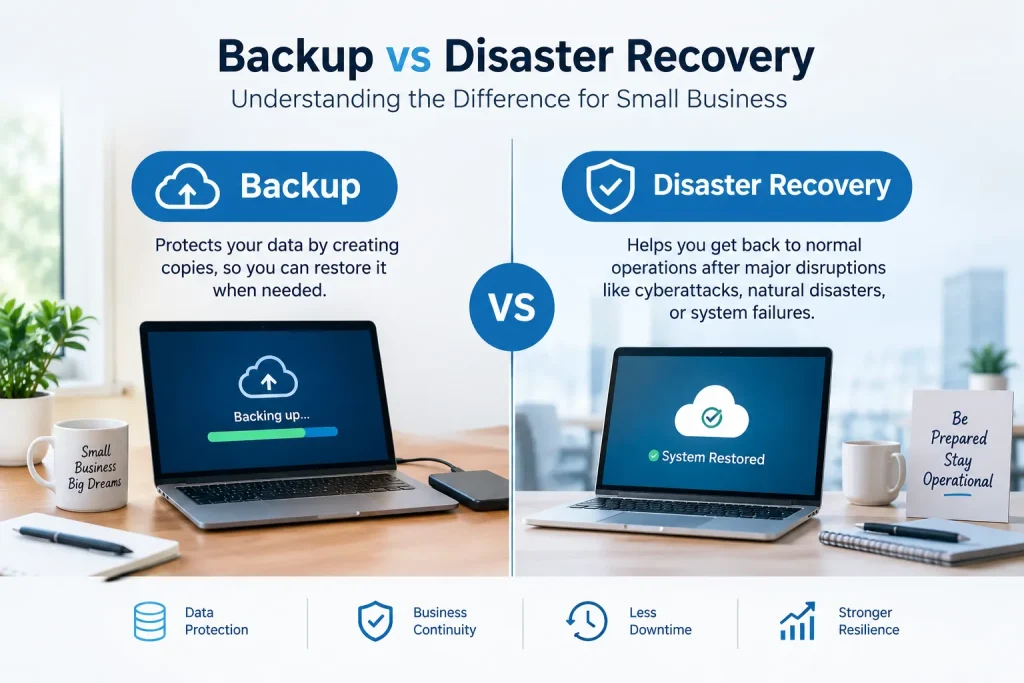
Backup vs disaster recovery in one line: Backup brings your files back. Disaster recovery brings your business running again. Many small businesses buy one and think Backup also covers Disaster recovery. Here is the difference. Why this assumption should be checked now rather than during an actual outage.
These words are often used in the way so its hard to tell them apart anymore but they ask different things. Backup answers the question “how do I get my files back if they’re lost or corrupted?” Disaster recovery answers a bigger question: “how does my business actually keep functioning if a whole system, server or location goes down?” A business can have backups and still have no real disaster recovery plan at all.
Backup vs Disaster Recovery
Backup vs Disaster Recovery: The Distinction, Side by Side
Question
Backup
Disaster recovery
What does it protect?
Data — files, databases, documents
Operations — the ability to actually run the business
What does it answer?
“Can I get this file back?”
“How does the business function if the server/office/system is gone?”
Typical scope
Individual files, folders, databases
Entire systems, applications, and the infrastructure to run them
Recovery time
Can be minutes for a single file
Depends heavily on plan quality — can be hours to days without one
A business with only this
Has files, but no plan for actually running without the primary system
This alone without good backups is rare — DR typically depends on backups underneath it
A concrete example makes the distinction clearer
If your office server fails completely, backup tells you your files are safe and restorable. Disaster recovery tells you how staff will keep working while that server is being replaced or rebuilt — a temporary system, remote access to a secondary environment, or a documented failover process. Backup alone answers “will I lose the data.” Disaster recovery answers “can we keep operating today.”
For how a safe, rollback-ready switchover works in practice, see our cloud migration guide.
Two numbers that matter for disaster recovery specifically
Recovery Time Objective (RTO):How long can the business tolerate being down before real damage occurs? This number should drive how much investment goes into faster recovery capability.
Recovery Point Objective (RPO):How much data loss can the business tolerate, measured in time? If backups run nightly, the RPO is effectively up to 24 hours of potential data loss — worth knowing explicitly rather than assuming.
Setting these numbers deliberately:Different systems can have different RTO/RPO targets — email might tolerate more downtime than an order processing system. A single blanket assumption for everything often over- or under-invests in the wrong places.
Signs your business has backup but not real disaster recovery
No documented plan for how staff would work if the primary server or office were unavailable.
Backups have never actually been tested with a full restore, only assumed to work.
No defined RTO or RPO for critical systems — recovery time is “however long it takes.”
No one specific person or provider is responsible for executing a recovery if it’s needed.
The formality can scale to business size. A small business does not need a DR document but a small business does benefit from a clear even brief, answer to “what do we actually do if the main system goes down.” The absence of any plan is the risk, not the absence of a lengthy plan.
Annually is a baseline for most small businesses. That means reviewing the plan a year.. When there are big changes, in systems it’s good to do a lighter review. An untested plan is risky. It’s like a backup. You might think it will work. You won’t know until you actually need it.
Not on its cloud backup keeps the data safe but disaster recovery also needs a plan for bringing back the systems and the processes that depend on that data, which is a different part of the process, beyond just storing the files in a safe place.
The gap, between these two is usually not intentional. Most businesses invest in backup because backup is the familiar more heavily marketed term and they simply never get to the disaster recovery conversation. Asking the question directly. “What do we actually do if X goes down”. Is the fastest way to find out if that gap exists. Understanding backup vs disaster recovery is the first step to closing it